Home Blog Page 124

Google Launches Read Along Website To Help Children Read

Reading Time: 2 minutes read

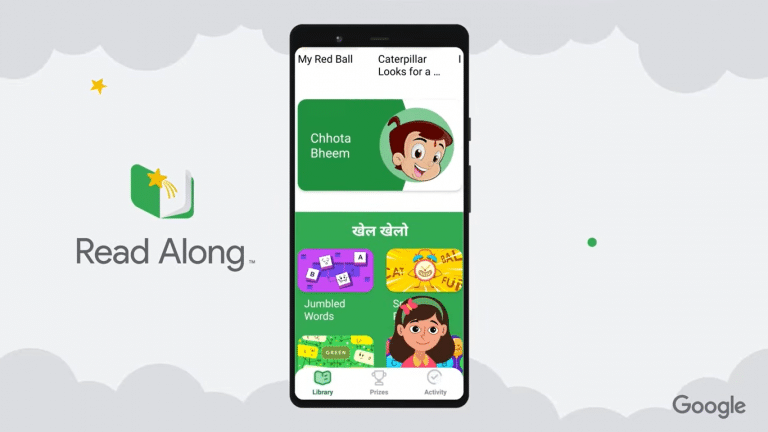
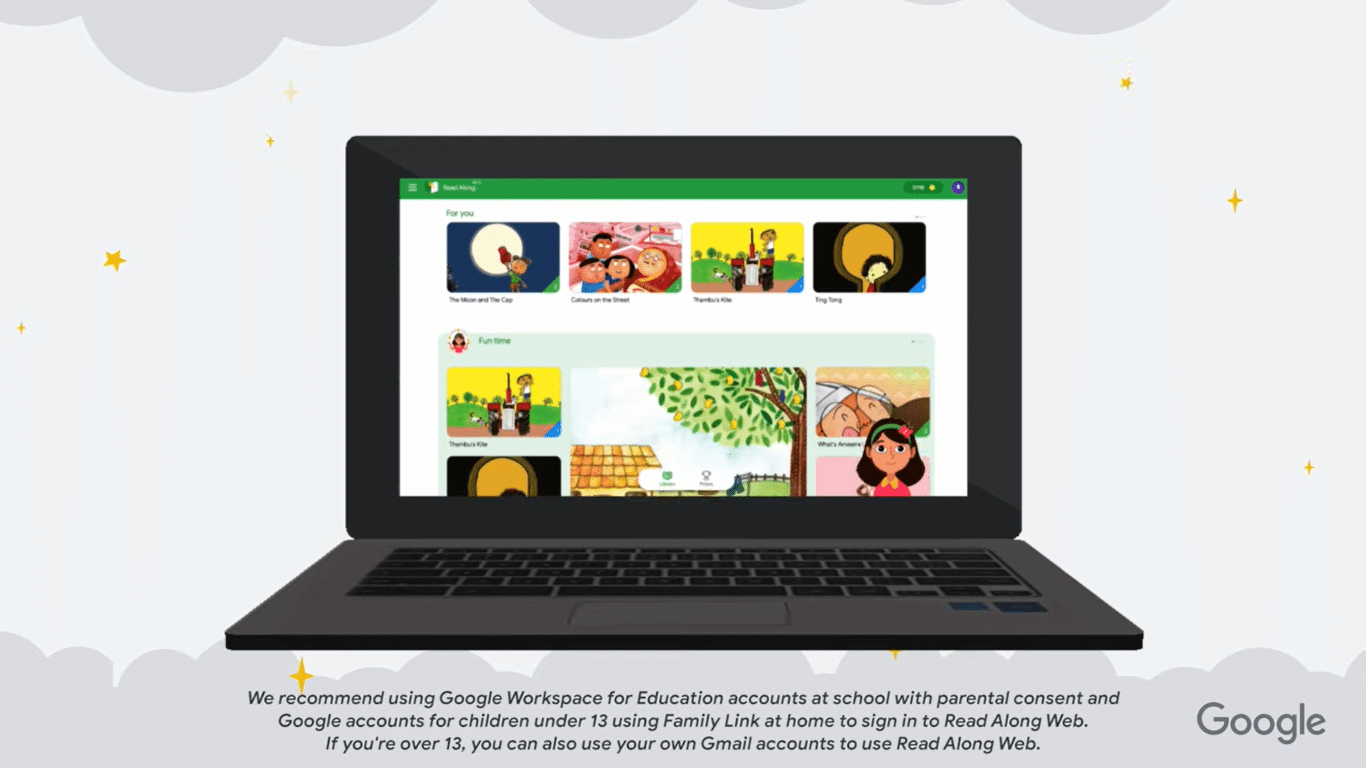
Google recently launched a new website that will assist children to read which is called ‘Read Along’. The app, which was first released in India as Bolo in 2019 and then globally as Read Along the following year, teaches children to read independently with the help of a reading assistant named Diya.

The public beta of the website version of its “Read Along” Android app is now available for everyone to access. 
Source: Google

In Read Along,  children will have to read into their device’s microphone after selecting a story. Then, the words they read will be highlighted in blue, and mispronounced words are underlined in red. You can click an underlined word, and a virtual assistant, Diya, will pronounce it for you.
Source: Google

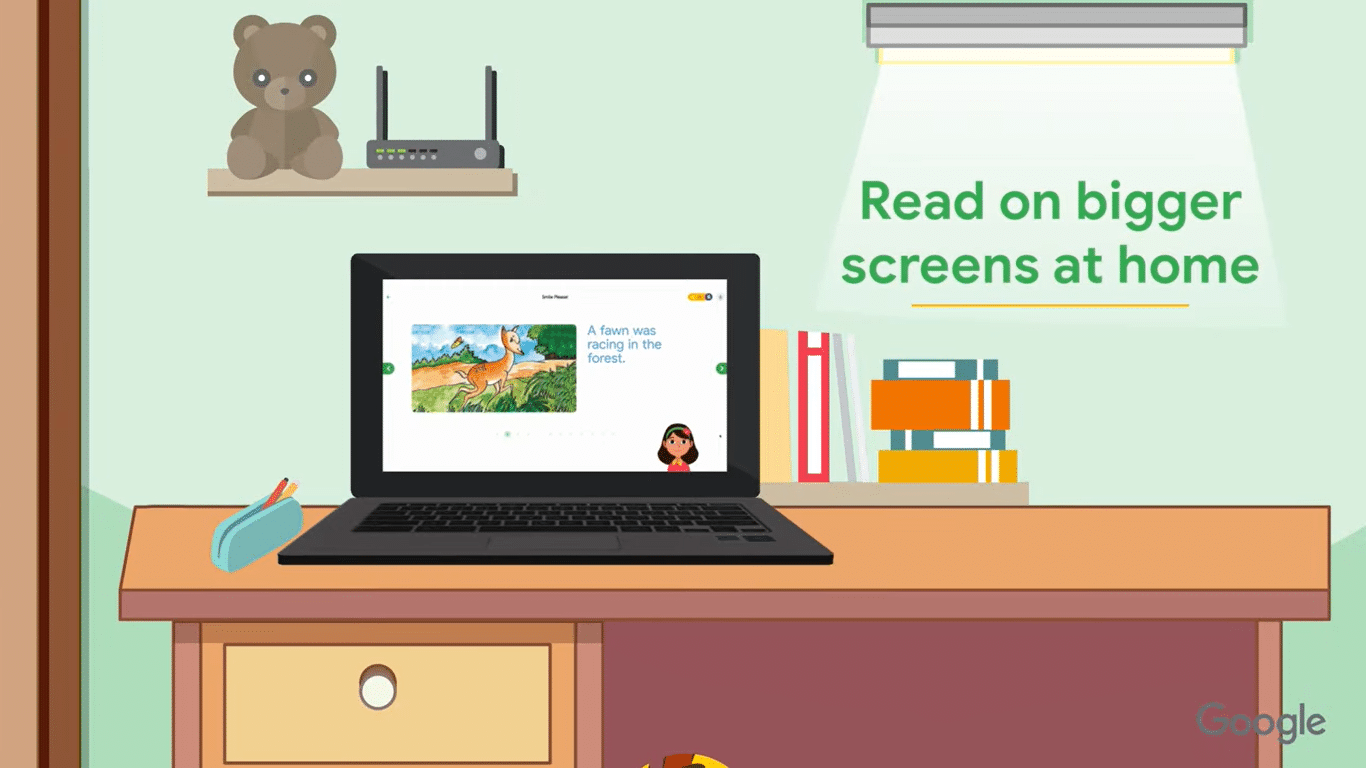
The web version will allow children to use Read Along on larger screens by logging into a browser from laptops or PCs at Read Along page. All speech recognition occurs in the browser, just like in the Android app, so children’s voice data remains private and is not sent to any servers

On top of that, Google says that Chrome, Firefox, and Edge are among the supported browsers. More browsers including safari will also be included soon. In terms of languages, English, Hindi, Gujarati, Bengali, Telugu, Marathi, Tamil, Spanish, and Portuguese are all available to choose from. 

This platform could greatly contribute to children’s learning process, especially now that digital education is highly promoted across the globe. Besides, it is also convenient for parents to speed up their children’s reading ability as the platform offers many interactive stories that can easily attract the children’s attention. Google claims that more than 30 million children have read more than 120 million stories on Read Along in the last three years.

Source: (1)(2)

Whatsapp Now Gives Users Two Days To Delete A Message

Reading Time: < 1 minute read

Have you ever sent a Whatsapp message containing some bad jokes that are meant for your friends but luck was not on your side that day and you accidentally sent it to your parents or your boss? To make it worse, you realized that mistake after an hour had passed!

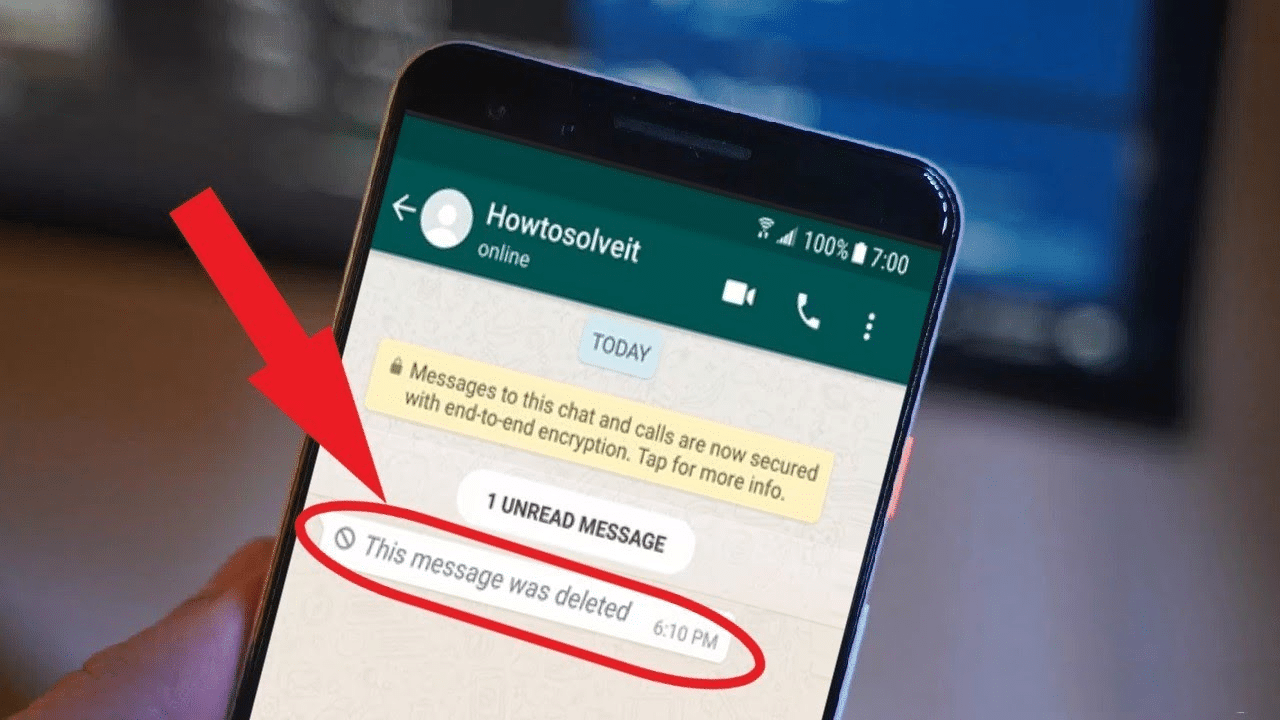
Well, don’t worry too much about it because Whatsapp just rolled out a new feature that will give you about two days instead of one hour to delete whatever embarrassing or inappropriate messages you badly want to unsend.

Source: Youtube

In order to use the feature, you need to open the WhatsApp group or individual chat to which you sent the message. Then, Tap and hold the content you want to delete, then click “Delete,” and then choose “Delete for everyone” or “Delete for me.”

However, it is important to note that all recipients must be updated to the most recent version of WhatsApp for this to work. On top of that, the company also launches a feature that allows administrators to delete unwanted messages in a group chat.

Talking about deleting messages, iOS 16 Beta also offers its users two minutes to delete a message in Apple’s iMessage. Based on the capability of this feature, it seems like Whatsapp is more advance on that front though.

HONOR 70 Will Be Launched In Malaysia Next Week

Reading Time: 2 minutes read

HONOR has officially unveiled its latest smartphone HONOR 70 and we already shared some of the highlighted features that the device would bring to its users. Today, HONOR Malaysia announced that the device will be launched on 18 August at 8.00 pm

Source: Honor

Aims to produce an aesthetically pleasing design, HONOR 70’s exterior craftsmanship is inspired by crystal glass and diamond light rays, resulting in a diamond-shaped pattern. Weighs only 178g, the device uses dual-film, triple-texture, and dual-coating technology. 

The HONOR 70 now has an axisymmetric camera layout with jewel-like circles housing a 2MP Depth Camera and a 54MP IMX800 Super Sensing Main Camera, and a bottom ring featuring a 50MP Ultra-Wide & Macro Main Camera and a depth camera. Moreover, The HONOR 70 continues the innovative dual-ring design of its predecessor, the HONOR 50, which received widespread brand recognition.

Source: Honor

The HONOR Image Engine Computing Image Platform enhanced the mobile photography experience. The 1/1.49 sensor provides stunning clarity in pixel size, enriching low-light performance even further. Such sensors will give photographers complete control over portraits in low-light environments, whether it’s backlighting landscape and portraits, super night mode, night portrait, or natural HD selfies.

Stay tuned and visit HONOR’s official website and Facebook page to catch up with the latest updates on the arrival of HONOR 70. Other than that, you can also watch the live broadcast on the HONOR Malaysia social media page!

Apple Pay Is Officially In Malaysia: Here’s How You Should Use It

Reading Time: 2 minutes read

Apple Pay has officially arrived in Malaysia and you must be wondering how to activate it! For those who are unfamiliar, Apple Pay is a secure and convenient payment method that replaces physical cards and cash. You can use it whether you’re in a store, online, or sending money to friends or family.

Before we proceed with the step-by-step on how to add your card and activate your Apple Pay, you need to make sure that your Apple device and payment card are able to support the feature. The device that is compatible would be the iPhone 6 and onward and as for Apple Watch, you need Watch Series 1 and above. 

As of right now, it is confirmed that you can use payment cards issued from AmBank, Maybank and Standard Chartered for Apple Pay.


How To Add Credit or Debit Cards to Apple Wallet On Your iPhone

In order to make a payment through Apple Pay, you need to add your cards to the Apple Wallet on your iPhone by following these simple steps:

  1. Open Wallet app
  2. Tap the (+) symbol on the top right corner
  3. Select ‘Debit’ or “Credit’ card
  4. Click on Continue
  5. Scan your card by positioning it in the frame or enter card details manually
  6. Follow the bank instruction for verification 
  7. Your card is added to the Wallet app

How To Add Credit or Debit Cards to Apple Wallet On Your Apple Watch

  1. Open the Apple Watch app on your iPhone.
  2. Tap My Watch, then tap Wallet & Apple Pay.
  3. If you have cards on other Apple devices or recently removed cards, tap ‘Add’ next to a card to add, then enter the card’s security code (CVV).
  4. Your card issuer may require additional steps to verify your identity
  5. Your card is now available on Apple Watch. 

How To Pay In Stores With Apple Pay

For iPhone: 

  • Face ID:  Double-click the side button.
  • Touch ID: Double-click the Home button.
  • Hold the top of your iPhone near the contactless reader until ‘Done’ and a checkmark appears on the display.

For Apple Watch:

  • Double-click the side button.
  • Hold your Apple Watch’s display near the contactless reader until you feel a gentle tap and hear a beep.

Other than a physical store, you can also use Apple Pay for online purchases. As we reported a few days ago, Shopee might integrate Apple Pay as one of its payment methods soon. You can simply check out if the e-commerce platform has the Apple Pay option. 

With the arrival of Apple Pay in Malaysia, it will not only support the government initiative to encourage more cashless payment in the country but also provide a smoother purchase experience to users.

Source: (1) (2)

UPDATE: Apple Pay Is Officially Available In Maybank

Reading Time: < 1 minute read

UPDATE: Maybank has officially rolled out Apple Pay


Just as we reported that the AmBank website announced that Apple Pay will be available in Malaysia, Maybank seems to also jump on the bandwagon. Although both parties pulled out their web pages shortly after its being published since they are not supposed to make it to the public knowledge yet, it gives us further confirmation that Apple Pay is indeed coming to Malaysia. 

Source: Lowyat

Customers can also add their card to Apple Pay from the MAE app (according to the FAQ document that has been removed by the bank). This can be done from the Card’s dashboard within the app’s Maybank2u section, but this method is still unavailable for users. 

Other than that, Maybank stated that a user can add up to ten Maybank cards to Apple Pay and add their card to as many Apple devices as they wish with a maximum of ten devices allowed.

Apple Pay is currently available for all iPhones with Face ID, as well as iPhones 6 and onward. If you have an Apple Watch Series 1 or later, you can use it to make payments as well.

Even though Maybank has withdrawn its Apple Pay section, we are sure that it’s just a matter of time before users can utilize it. 

Source: Lowyat.net

LG Launches Ultra Tab Equipped With Snapdragon 680 Chip

Reading Time: 2 minutes read

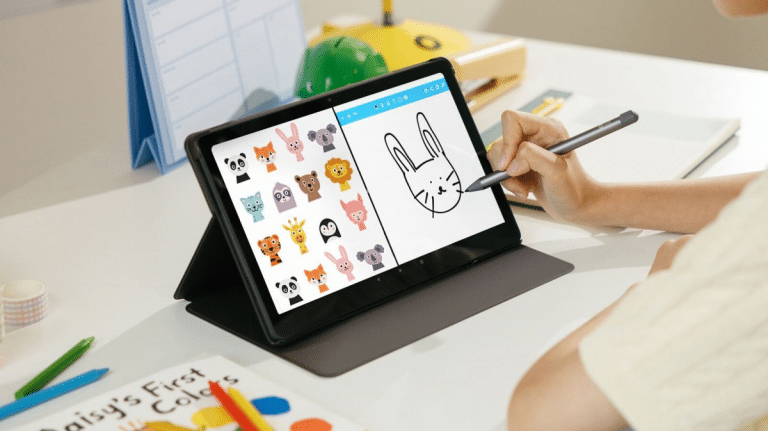
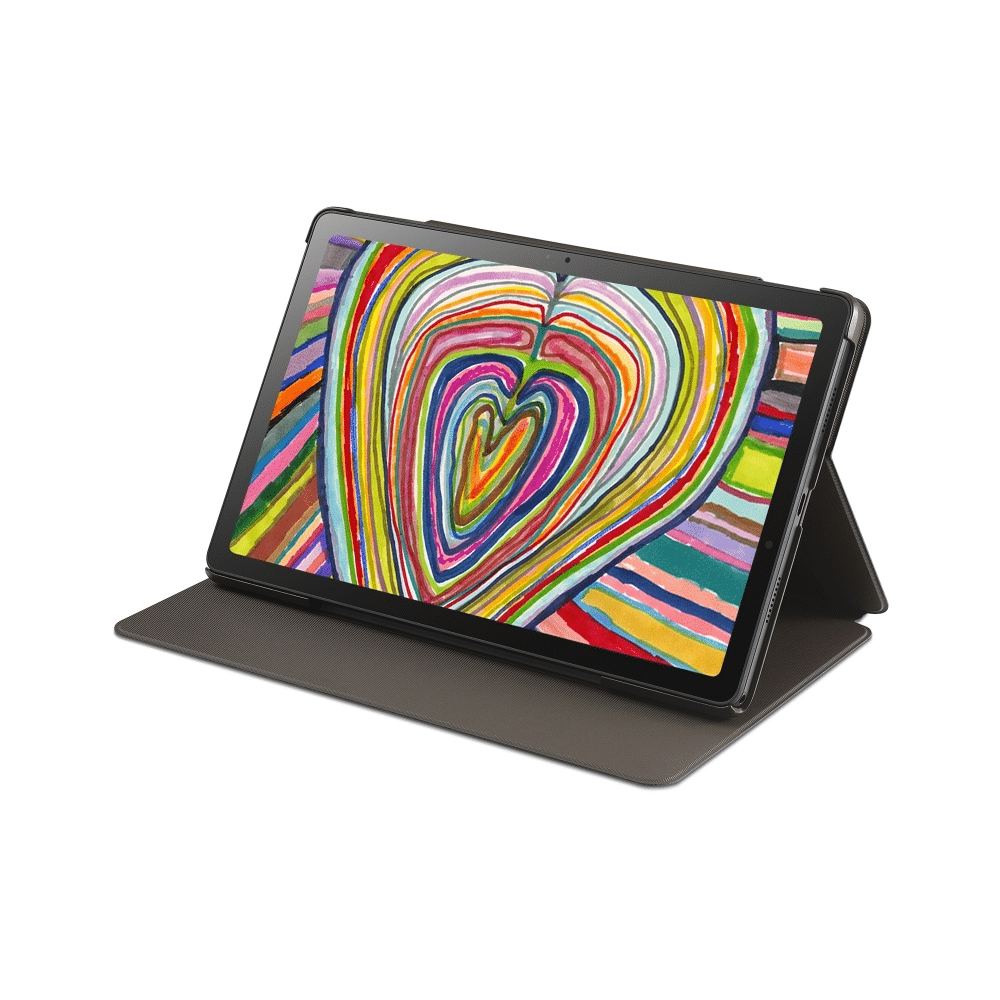
LG unveiled its latest Android tablet known as the LG Ultra Tab and it has been officially launched in South Korea. Powered by Qualcomm Snapdragon 680 chipset, the tablet is priced at KRW 426,000 (RM 1578 or $327)

Source: Technave

The device is equipped with a 10.35-inch IPS LCD display with a 60Hz refresh rate. Moreover, it will run on Android 12 out of the box. Under the hood, the table features a 7.1mm ultra-slim metal body, a 7,040mAh battery that supports 25W fast charging, and 8MP at its rear and 5MP front camera setup. The rear camera has autofocus, while the front camera has a fixed focus sensor.

On top of that, the Ultra Tab will come with 4GB of RAM and 64GB of internal storage, which can be expanded using a microSD card. There is also a 3.5mm audio jack on the device and a quad-speaker configuration for immersive audio. 

Source: Technave

In terms of durability, the LG Ultra Tab has been granted the MIL-STD-810G durability certification. The device will only be available in the Charcoal Gray colour option. As mentioned above, the table has already been launched in South Korea and at the moment, it is only limited within that market. However, it is also expected to make its global debut shortly after.

Source: Gizmochina, Technave

Google Meet May Include Spotify, Youtube And UNO Soon

Reading Time: 2 minutes read

Recently, Google announced that Duo will become Google Meet by September this year. Just a few days ago, Google also began rolling out the Meet-Duo for Android and iOS users. The company explains that the merger of these two video-calling apps will benefit users through their comprehensive service.

Source: Google Apps

Users of Google Duo will now have access to features such as in-meeting chat, virtual backgrounds and visual effects, and the ability to start a call with up to 100 participants. 

Google also says that users shouldn’t experience any disruption during this merge, seeing that these two apps already share similar features.

Following the announcement, it is reported that the Google Meet team is working on a new feature as an addition to the Duo-Meet transition that enables its participants to share third-party applications namely  YouTube, UNO!, Kahoot, Heads Up!, and Spotify. On top of that list of apps, the company also added a productivity tool called GQuees – Task Manager for Teams. It indicates that each of these apps now has its own icon within Google Meet, making them more accessible and organised for all parties involved.

 According to an APK teardown by 9to5Google, Google has chosen to turn Google Meet into a third-party app rather than integrating it into its own app. This implies that the feature may be limited to Android and will not be available on iOS or the Web version.

 However, it is still uncertain how Google will organise users of streaming apps such as Spotify and YouTube, but an update is expected soon.

Source: techradar, dohanews

Xiaomi Is Ranked At 266 In The 2022 Fortune Global 500 List

Reading Time: 2 minutes read

Following the 2022 Fortune Global 500 list announced today, Xiaomi Group, which is the world’s third largest smartphone manufacturer is ranked No. 266, moving the company up the list for the fourth year in a row. 

Just nine years after its founding, Xiaomi debuted at No. 468 on the Fortune Global 500 list in 2019. Since then, the company has risen in the rankings, moving from 422 in 2020 to 338 last year, making it the fastest-growing Chinese technology company. 

In 2021, Xiaomi’s revenue and adjusted net profit reached new highs. Xiaomi Group’s total revenue in 2021 was RMB 328.3 billion, a 33.5% increase year on year. Its adjusted net profit was RMB 22 billion last year, up 69.5% year on year. In addition, Xiaomi Group’s revenue from overseas markets increased by 33.7% year on year in 2021, making up 49.8% of total revenue. This proportion increased to 51.1% in the first quarter of 2022.

Moreover, Xiaomi’s global smartphone shipments reached a record high in 2021 thanks to its “Smartphone AIoT” strategy. Its smartphone sales ranked first in 14 markets and fifth in 62 others. More than 434 million smart devices (excluding smartphones, tablets, and laptops) were connected to its platform as of December 31, 2021. The number of its global MIUI monthly active users reached 509 million, a 28.4% increase year on year.

Xiaomi’s high-end smartphone shipments increased to roughly 13% of total smartphone shipments in 2021, nearly doubling from the previous year. Meanwhile, Xiaomi has increased its research and development spending. Xiaomi’s R&D expenditure in 2021 was RMB 13.2 billion, a 42.3% increase year on year. Xiaomi’s research investment is expected to surpass RMB 100 billion over the next five years. As of March 31, 2022, Xiaomi had been granted over 26,000 patents, with over 53,000 global patent applications.

With these impressive achievements, users can rest assured that Xiaomi will continue to develop innovative products at a reasonable price so that users can enjoy a better experience of technology.

Youtube Is Experimenting With The New Zoom-In Feature

Reading Time: 2 minutes read

After finally integrating the picture-in-picture feature into its platform, YouTube is currently experimenting with the new zooming feature!

Source: Chrome Unboxed

It is reported that some premium subscribers can now zoom in with a pinch gesture to get a closer look at a specific section of the video. You can zoom in up to 8x. Furthermore, because the feature is still in its early stages, it is only available to be tested out by the Premium subscribers. 

Source: Chrome Unboxed

To try it out, go to the Settings Menu and look for the “Try new features” section, which will appear for Premium subscribers. This can be done whether you open YouTube through your phone or website.

Pinch-to-zoom is available to try until September 1 in order to give some time for YouTube to gather user feedback and work on improving the functionality before rolling it out more widely. Following that, the video platform may either officially launch the feature or reveal a later launch date (if there are any issues with the functionality). Unfortunately, there is no word on whether the feature will also be available to non-paying users. 

Zooming in on a video can be a feature that others might anticipate and also something that may be deemed insignificant to some users. Be that as it may, seems like Youtube is planning to introduce this feature on its platform soon. 

Source: The Verge, gsmarena

UPDATE: AmBank Announces Apple Pay Is Now Available In Malaysia

Reading Time: 3 minutes read

UPDATE: Apple Pay has officially arrived in Malaysia

UPDATE: At the moment, we have noticed that AmBank has quietly removed the page from its site. As well as the videos on setting up Apple Pay has set to private for now. This clearly means the video will be live any time soon. Nevertheless, it is official that Apple Pay is coming very soon to Malaysia. Let’s expect Apple to make an announcement next month during its iPhone 14 series launch event.


In the past few days, we have been following the trail of clues left by Apple Pay regarding its arrival in Malaysia. Now, we finally got the confirmation! AmBank unveiled that Apple Pay has come to Malaysia and you can now add your AmBank Card to your wallet to experience the payment service. 

On its website, AmBank provides YouTube videos showing step-by-step how to add a card to Apple Pay and how to pay for purchases in stores. In order to know whether the store support Apple Pay, you need to look out for either Apple Pay or the familiar ‘wave’ symbol. Then you can proceed with the payment by tapping your iPhone on the reader screen and using Touch ID or Face ID to verify the transaction.

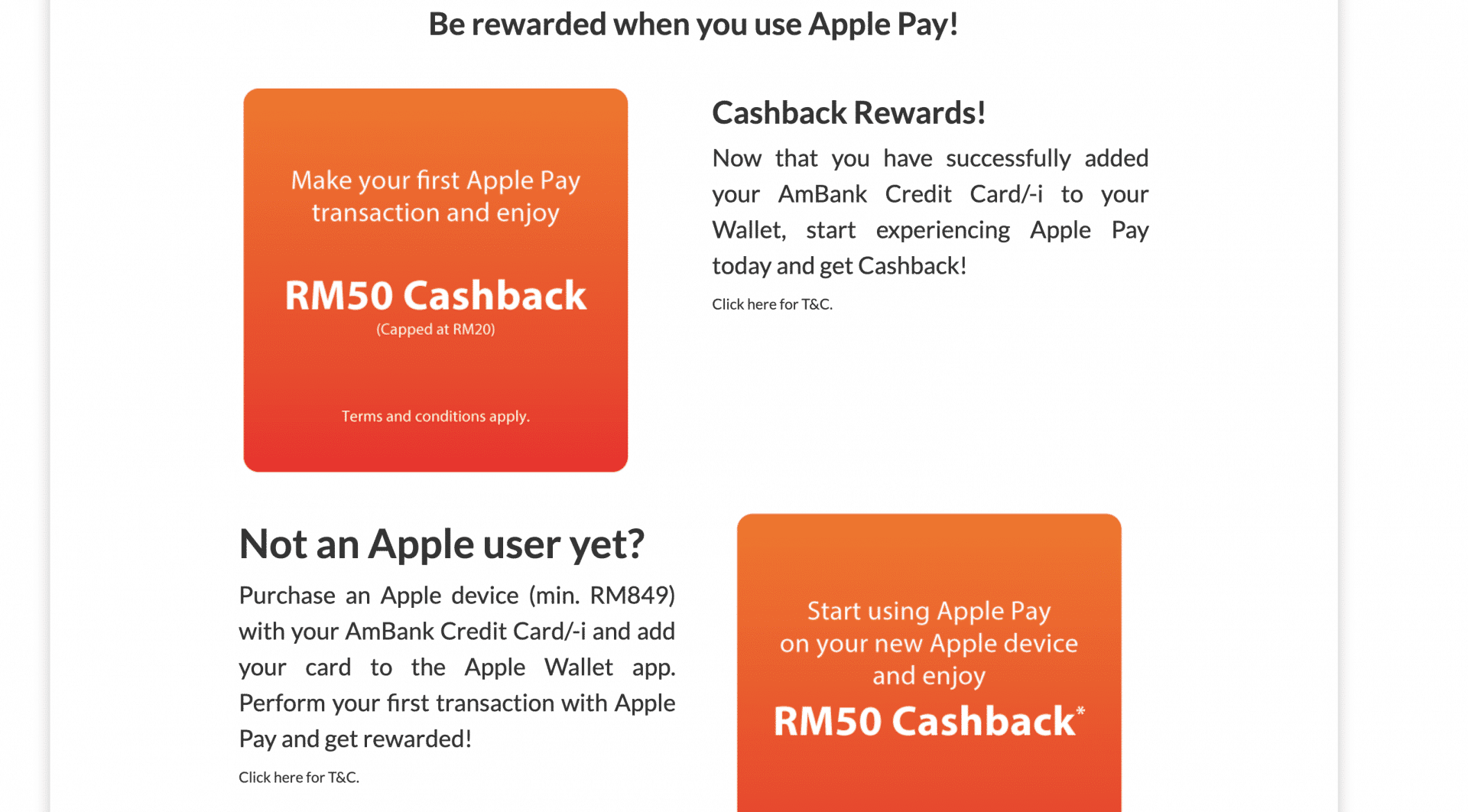
On top of that, AmBank also offers an RM50 Cashback (Capped at RM20) for your first Apple Pay transaction. In terms of transaction limits, AmBank stated in its FAQ that there is no transaction limit for Apple Pay for contactless/payWave or online payments. 

However, Apple Pay has not yet available on iOS 15.6 but it will work on most iPhone, Apple Watch, iPad and Mac devices. Malaysia users may expect its availability on the upcoming iOS update.

Ever since there is a rumour that AmBank is working on integrating Apple Pay on its platform, it has been the talk of the town but there is no official statement from AmBank’s side. However, this recent announcement gives users concrete evidence of Apple Pay’s availability. There is also news on Shopee and Maxis that might feature Apple Pay soon. 

Source: AmBank